

Documentation
Custom Resources Reference
Full specification for all six Keldon CRDs: DatabaseImage, DatabaseClusterClass, DatabaseConfig, DatabaseCluster, DatabaseBackup, DatabaseRestore.
Custom Resources Overview
Keldon defines six custom resources under the keldon.io/v1alpha1 API group. They split into three layers:
| Layer | Resource | Short | Scope | Purpose |
|---|---|---|---|---|
| Configuration | DatabaseImage |
dbi |
Cluster | Container image + database version registry |
DatabaseClusterClass |
dcc |
Cluster | Reusable topology and resource defaults | |
DatabaseConfig |
dbx |
Cluster | postgresql.conf and pg_hba.conf management |
|
| Cluster | DatabaseCluster |
dbc |
Namespace | The cluster itself — coordinator, standby, segments, mirrors |
| Data operations | DatabaseBackup |
dbb |
Namespace | On-demand backup to S3-compatible storage |
DatabaseRestore |
dbr |
Namespace | Restore from a backup into a cluster |
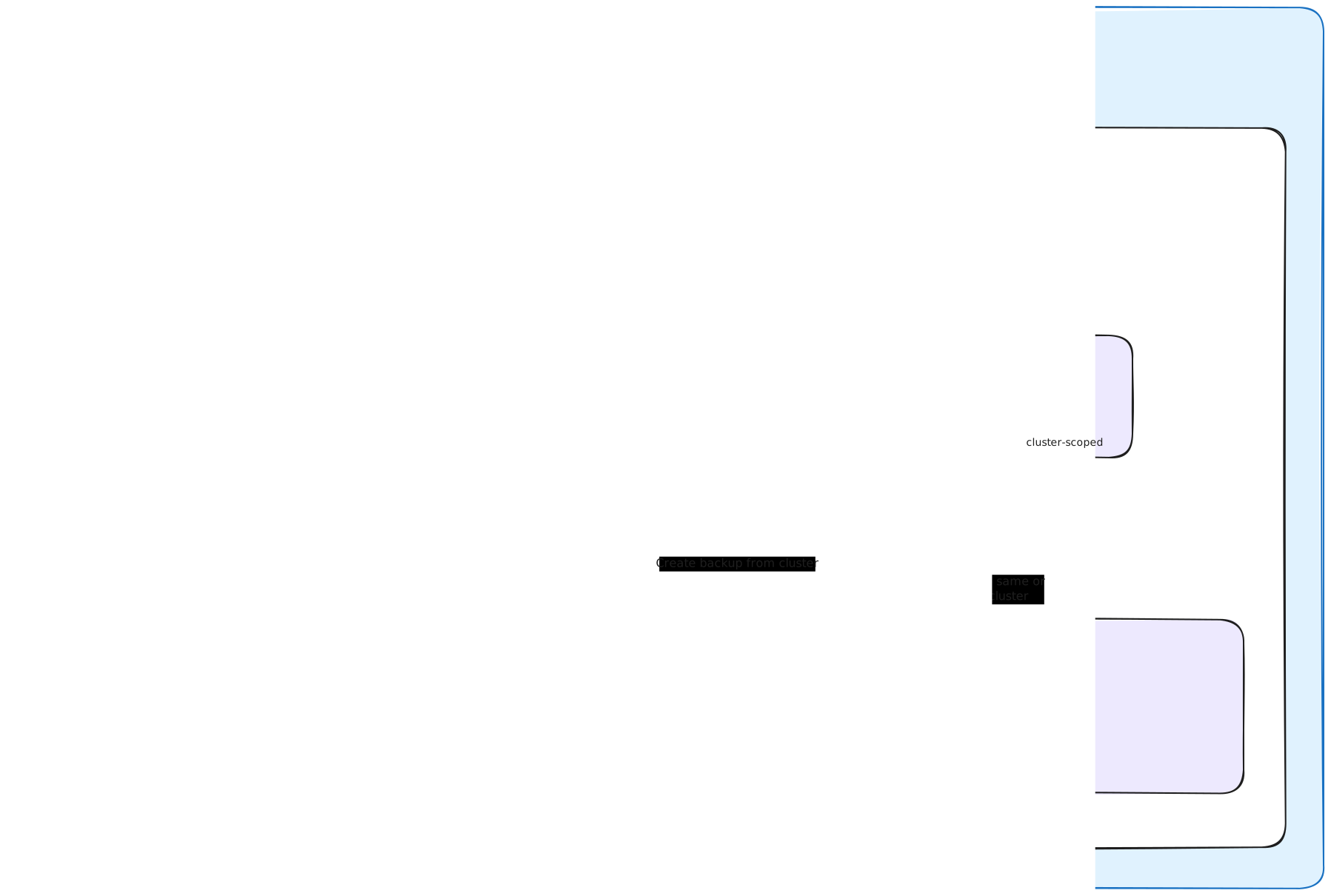
How the resources relate
The minimum required resources for your first MPP database cluster are a
DatabaseImageand aDatabaseCluster. TheDatabaseImagedefines which database image to run, and theDatabaseClusterreferences it to create the actual coordinator, segments, mirrors, storage, and services.DatabaseClusterClassandDatabaseConfigare optional helpers for reusable topology and custom database configuration.
DatabaseImage,DatabaseClusterClass, andDatabaseConfigare cluster-scoped — define them once, reference them from any namespace.DatabaseCluster,DatabaseBackup, andDatabaseRestoreare namespace-scoped and live next to your workload.
DatabaseImage
DatabaseImage registers a container image and database version that clusters can reference. It’s cluster-scoped, so one definition serves every namespace.
Example
apiVersion: keldon.io/v1alpha1
kind: DatabaseImage
metadata:
  name: cloudberry-2.1.0
spec:
  version: "2.1.0"
  image: ghcr.io/keldonio/cloudberry:2.1.0
Spec fields
| Field | Type | Required | Description |
|---|---|---|---|
version |
string | yes | Semantic version of the database engine inside the image (e.g. "2.1.0"). Informational — surfaced in kubectl get dbi and used for upgrade tracking. |
image |
string | yes | Fully qualified container image reference including tag (e.g. ghcr.io/keldonio/cloudberry:2.1.0). |
adminUser |
string | no | OS user that runs the database and owns data directories. Defaults to gpadmin — the canonical user for every Greenplum-family fork. Override only when your image installs the database under a different OS user. |
paths |
object | no | Filesystem layout inside the image. Empty or missing fields default to the canonical Greenplum-family layout at resolve time. |
commands |
object | no | Templated fork-specific commands. Empty or missing fields default to the canonical gp* command suite at resolve time. Override only the commands your fork genuinely renames. |
Pinning vs floating tags
Always pin to a specific image tag in production (
:2.1.0, not:latest). Floating tags will pull a different image on every pod restart, breaking reproducibility and making upgrades implicit. Use pinned tags as your declarative source of truth.
Multi-image setups
You can register multiple DatabaseImage resources to support different versions across clusters:
---
apiVersion: keldon.io/v1alpha1
kind: DatabaseImage
metadata:
  name: cloudberry-2.1.0
spec:
  version: "2.1.0"
  image: ghcr.io/keldonio/cloudberry:2.1.0
---
apiVersion: keldon.io/v1alpha1
kind: DatabaseImage
metadata:
  name: cloudberry-2.2.0
spec:
  version: "2.2.0"
  image: ghcr.io/keldonio/cloudberry:2.2.0
Each DatabaseCluster references one image. You can mix engines and versions across your cluster fleet without changing the operator.
DatabaseClusterClass
DatabaseClusterClass defines a reusable cluster topology and resource defaults. Multiple DatabaseCluster resources can reference one class, ensuring consistent shape across environments. It’s cluster-scoped.
Use a DatabaseClusterClass when you want to enforce a standard topology (segment counts, resources, kernel tuning) across many clusters — for example, dev-small, staging-medium, prod-large.
Example
apiVersion: keldon.io/v1alpha1
kind: DatabaseClusterClass
metadata:
  name: smoke-default
spec:
  segmentCount: 2
  kernelTuning: false
  coordinator:
    storage: 10Gi
    storageClassName: local-path
  segments:
    storage: 10Gi
    storageClassName: local-path
  mirror:
    enabled: true
    storage: 10Gi
    storageClassName: local-path
  standby:
    enabled: true
    storage: 10Gi
    storageClassName: local-path
  recovery:
    autoRecover: true
    autoRebalance: true
    rebalanceDelaySeconds: 30
  sshTrust: static
Spec fields
| Field | Type | Required | Description |
|---|---|---|---|
backupRetention |
object | no | Default backup retention policy for clusters using this class. |
coordinator |
object | no | Default configuration for the coordinator role (storage, storageClassName, resources). |
standby |
object | no | Default configuration for the standby coordinator role. |
segmentCount |
integer | no | Default number of primary segments. |
segments |
object | no | Default configuration for segment roles. |
mirror |
object | no | Default configuration for mirror segment roles. |
kernelTuning |
boolean | no | Enables kernel parameter tuning through Kubernetes SecurityContext.Sysctls. |
kernelParameters |
map[string]string | no | Default sysctl values applied when kernelTuning is enabled. |
recovery |
object | no | Default recovery policy. |
sshTrust |
string | no | Default SSH trust mode. Allowed values: static or certificate. |
sshTrustConfig |
object | no | Lifecycle configuration for certificate-based SSH trust. Only used when sshTrust is certificate; ignored when sshTrust is static. |
When to use a ClusterClass vs inline spec
Use a DatabaseClusterClass when:
  - You manage multiple clusters with the same shape
  - You want to enforce environment standards (dev/staging/prod)
  - Topology should be controlled by a platform team, not the cluster owner

Use inline DatabaseCluster spec when:
  - You have one or two clusters and don't need a template
  - Each cluster is genuinely unique
  - You're prototyping
Cluster-level fields always override class-level defaults. For example, if a
DatabaseClusterreferences aDatabaseClusterClasswheresegmentCount: 4, but the cluster setsspec.segments.count: 8, the cluster gets 8 segments. This makesDatabaseClusterClassa default provider, not a hard constraint.
DatabaseConfig
DatabaseConfig provides declarative management of postgresql.conf and pg_hba.conf for clusters that reference it. It’s cluster-scoped — one named config (e.g. prod-tuned) can be shared across all namespaces.
Example
apiVersion: keldon.io/v1alpha1
kind: DatabaseConfig
metadata:
  name: standard-config
spec:
  postgresqlConf:
    max_connections: "500"
    shared_buffers: "2GB"
    work_mem: "64MB"
    log_min_duration_statement: "1000"
  pgHbaRules:
    - type: host
      database: all
      user: all
      address: "10.0.0.0/8"
      method: md5
    - type: host
      database: all
      user: all
      address: "0.0.0.0/0"
      method: scram-sha-256
Spec fields
| Field | Type | Required | Description |
|---|---|---|---|
postgresqlConf |
map[string]string | no | Map of postgresql.conf GUC names to string values. Applied via gpconfig -c <name> -v <value> after bootstrap, and on drift detection during the Running phase. Reloaded via SIGHUP. |
pgHbaRules |
[]object | no | Authentication rules appended to the cluster’s pg_hba.conf after the operator’s built-in rules. Order matters: pg_hba is read top-down, first match wins. |
resourceGroups |
[]object | no | Greenplum/Cloudberry resource groups to CREATE after the cluster reaches Running for the first time. Changing a group’s CPU/memory/concurrency after first bootstrap requires manual ALTER on the cluster. |
pgHbaRules entry fields
| Field | Type | Description |
|---|---|---|
type |
string | One of local, host, hostssl, hostnossl. |
database |
string | Database name pattern (all, sameuser, or specific DB name). |
user |
string | User name pattern (all, role name, +groupname). |
address |
string | CIDR or hostname. Omit for local type. |
method |
string | Auth method: trust, md5, scram-sha-256, reject, etc. |
The operator’s built-in
pg_hbarules —host all <adminUser> <podCIDR> trustandhost replication ...— are always present and cannot be removed. They’re required for the operator to talk to the cluster from any pod. YourpgHbaRulesare appended after them.
Reload vs restart
Most postgresql.conf parameters can be applied via a configuration reload (pg_ctl reload), which is non-disruptive. Some require a full cluster restart.
Parameters like
shared_buffers,max_connections, andmax_wal_sendersrequire a full database restart to take effect. The cluster’s status surfaces a warning message when a changed setting needs restart, but the operator does not restart automatically. Plan restart-requiring config changes for maintenance windows.
Common configuration recipes
Connection pooling-friendly:
spec:
  postgresqlConf:
    max_connections: "1000"
    superuser_reserved_connections: "10"
Aggressive query logging for debugging:
spec:
  postgresqlConf:
    log_min_duration_statement: "0"      # log all queries
    log_statement: "all"
    log_duration: "on"
Memory-tuned for OLAP:
spec:
  postgresqlConf:
    shared_buffers: "8GB"
    work_mem: "256MB"
    maintenance_work_mem: "2GB"
    effective_cache_size: "32GB"
DatabaseCluster
The main resource — the cluster itself. Defines coordinator, standby, segments, mirrors, and operational behavior. Namespace-scoped.
Minimal example
apiVersion: keldon.io/v1alpha1
kind: DatabaseCluster
metadata:
  name: cluster-demo
  namespace: default
spec:
  databaseImage: cloudberry-2.1.0
  coordinator:
    storage: 10Gi
    storageClassName: local-path
  segments:
    count: 2
    storage: 10Gi
    storageClassName: local-path
DatabaseCluster using DatabaseClusterClass and DatabaseConfig
apiVersion: keldon.io/v1alpha1
kind: DatabaseCluster
metadata:
  name: cluster-demo
  namespace: default
spec:
  databaseImage: cloudberry-2.1.0
  databaseClusterClass: prod-medium
  databaseConfig: standard-config
DatabaseCluster overrides values of DatabaseClusterClass and DatabaseConfig
apiVersion: keldon.io/v1alpha1
kind: DatabaseCluster
metadata:
  name: cluster-demo
  namespace: default
spec:
  databaseImage: cloudberry-2.1.0
  databaseClusterClass: prod-medium
  databaseConfig: standard-config
  mirroring: true
  kernelTuning: true
  sshTrust: certificate
  standby:
    enabled: true
    storage: 10Gi
    storageClassName: local-path
  coordinator:
    storage: 10Gi
    storageClassName: local-path
  segments:
    count: 2
    storage: 10Gi
    storageClassName: local-path
  recovery:
    autoRecover: true
    autoRebalance: true
    rebalanceDelaySeconds: 30
The cluster name (
metadata.name) must be 18 characters or fewer. This limit comes from Cloudberry’sMAXHOSTNAMELEN=64constraint. The admission webhook rejects longer names. See Limits and Known Issues.
Top-level spec fields
| Field | Type | Required | Description |
|---|---|---|---|
databaseImage |
string | yes | Name of a DatabaseImage resource (cluster-scoped). |
databaseClusterClass |
string | no | Name of a DatabaseClusterClass to inherit defaults from (cluster-scoped). |
databaseConfig |
string | no | Name of a DatabaseConfig to apply (cluster-scoped). Supplies postgresql.conf, pg_hba rules, and optional resource groups. |
coordinator |
object | yes | Coordinator pod spec. See below. |
standby |
object | no | Standby coordinator spec. |
segments |
object | yes | Segment pods spec. |
mirroring |
boolean | no | Tri-state: nil = take from class default; true = explicitly enabled; false = explicitly disabled. |
kernelTuning |
boolean | no | Tri-state: nil = take from class default; true = explicitly enabled; false = explicitly disabled. Applies MPP-optimized sysctls. |
kernelParameters |
map[string]string | no | Per-cluster sysctl overrides on top of class defaults. |
sshTrust |
string | no | Inter-node SSH trust model: static (shared keypair) or certificate (short-lived certs signed by per-cluster CAs). |
sshTrustConfig |
object | no | Configures the certificate-based SSH trust lifecycle. Ignored when sshTrust is static. |
postgresqlConf |
map[string]string | no | Per-cluster GUC overrides. Merged with the referenced DatabaseConfig — cluster keys win where set. |
pgHbaRules |
[]object | no | Cluster-specific pg_hba rules. Appended after the referenced DatabaseConfig’s rules. |
resourceGroups |
[]object | no | Cluster-specific resource groups. Appended after the referenced DatabaseConfig’s groups. |
recovery |
object | no | Auto-recovery and rebalancing behavior. |
spec.coordinator
coordinator:
  storage: 10Gi
  storageClassName: local-path
  resources:                       # optional, overrides class defaults
    requests:
      cpu: "2"
      memory: 4Gi
spec.standby
standby:
  enabled: true
  storage: 10Gi
  storageClassName: local-path
When enabled: true, the operator provisions a standby coordinator that streams WAL from the primary. On primary failure, the operator promotes the standby and updates the Service selector.
spec.segments
segments:
  count: 4
  storage: 50Gi
  storageClassName: local-path
  resources:
    requests:
      cpu: "4"
      memory: 16Gi
count is the number of primary segments. If mirroring: true, one mirror is provisioned per primary, so a count: 4 cluster with mirroring has 8 segment pods total.
Scaling DOWN segments is not supported. Decreasing
spec.segments.countwill be rejected by the admission webhook. To shrink a cluster, back it up and restore into a new smaller cluster.
spec.recovery
recovery:
  autoRecover: true              # auto-recover failed segments
  autoRebalance: true            # rebalance data after recovery
  rebalanceDelaySeconds: 30      # wait before triggering rebalance
When autoRecover: true, the operator detects failed segments and runs gprecoverseg automatically. With autoRebalance: true, data is redistributed across the recovered cluster after a grace period.
Tri-state booleans
mirroring and kernelTuning are tri-state pointer booleans:
| Cluster spec value | Effective behavior |
|---|---|
Field omitted (nil) |
Inherit from the referenced DatabaseClusterClass |
true |
Explicitly enabled, even if the class disables it |
false |
Explicitly disabled, even if the class enables it |
This lets a single class serve both clusters that want a feature and clusters that don’t, with the cluster always able to override.
Override semantics
When a cluster references a DatabaseClusterClass, fields are merged as follows:
Cluster spec field set?
  → Cluster value wins.

Cluster spec field not set, but class has it?
  → Class value applies.

Neither sets the field?
  → Operator default applies (usually safe minimum).
Override happens at the leaf level. If your cluster sets
spec.segments.count: 8but doesn’t setspec.segments.storage, the storage comes from the class — the count override doesn’t blank out the rest of the segments object.
Status fields
The operator continuously updates status with cluster state:
| Field | Description |
|---|---|
phase |
Current lifecycle phase (e.g. PodsStarting, Running, CoordinatorFailover). See Phases and Conditions. |
readyCoordinators |
Number of ready coordinators (0 or 1 normally; reflects standby promotion). |
readySegments |
Number of primary segments that are up. |
readyMirrors |
Number of mirror segments that are up. |
readyStandby |
Standby state: Ready, Active (after promotion), or unset. |
activeCoordinator |
Name of the pod currently serving as primary coordinator. |
conditions |
Standard Kubernetes condition entries with type, status, reason, message. |
observedGeneration |
The metadata.generation the operator has reconciled. Lets you detect if your last update has been observed. |
Phases at a glance
| Phase | Meaning |
|---|---|
PodsStarting |
StatefulSets created, pods being scheduled and starting. |
SSHReady |
All pods responsive to SSH; trust established. |
Initializing |
gpinitsystem running. |
Running |
Cluster fully operational. |
Scaling |
Adding new segments and redistributing data. |
CoordinatorFailover |
Primary coordinator failure detected; promoting standby. |
Recovering |
A failed segment is being recovered. |
Failed |
Unrecoverable failure. Manual intervention required. |
Full phase transition diagram: Phases and Conditions.
DatabaseBackup
DatabaseBackup represents an on-demand backup to S3-compatible storage. Namespace-scoped.
Minimal example — full cluster backup
apiVersion: keldon.io/v1alpha1
kind: DatabaseBackup
metadata:
  name: my-backup-20260528
spec:
  cluster: cluster-demo
  type: full
  storage:
    type: s3
    bucket: s3-test-keldon
    prefix: cloudberry/cluster-demo/
    region: eu-west-3
    secret: my-s3-credentials
  database: "postgres"
Spec fields
Spec fields
| Field | Type | Required | Description |
|---|---|---|---|
cluster |
string | yes | Name of the DatabaseCluster in the same namespace to back up. |
type |
string | yes | Backup scope. One of full, schema, table. Currently only full is supported. |
database |
string | no | Specific database on the cluster to back up. Maps to gpbackup --dbname. Leave empty to back up the default database. |
schema |
string | no | Schema to back up. Reserved for future use. |
table |
string | no | Table to back up. Reserved for future use. |
storage |
object | yes | Where to write the backup. |
Only full database backups are supported in the current release. The
schemaandtablefields exist on the CRD but are not yet wired through to the operator. Schema-level and table-level backups, as well as filtered restores, are planned for a future release. Usetype: fullwith thedatabasefield to scope the backup to one database on the cluster.
spec.storage
| Field | Description |
|---|---|
type |
Storage backend type. Currently s3. |
bucket |
S3 bucket name. |
prefix |
Prefix path inside the bucket. The operator appends the backup ID. |
region |
AWS region (or compatible region for non-AWS S3 implementations). |
endpoint |
Custom S3 endpoint for non-AWS providers (MinIO, R2, etc.). Optional. |
secret |
Name of a Secret in the same namespace containing AWS_ACCESS_KEY_ID and AWS_SECRET_ACCESS_KEY. |
S3 credentials secret
The referenced Secret must contain the AWS credential keys:
kubectl create secret generic my-s3-credentials \
  --from-literal=AWS_ACCESS_KEY_ID=<your-key> \
  --from-literal=AWS_SECRET_ACCESS_KEY=<your-secret>
For S3-compatible storage (MinIO, Cloudflare R2, Backblaze B2, etc.), set the
endpointfield and use the provider’s access key + secret. The protocol is the same; the operator passes them through togpbackup_s3_plugin.
DatabaseRestore
DatabaseRestore restores from a DatabaseBackup into a cluster. Namespace-scoped.
Minimal example
apiVersion: keldon.io/v1alpha1
kind: DatabaseRestore
metadata:
  name: restore-from-2026-06-26
  namespace: default
spec:
  cluster: cluster-demo
  backup: cluster-demo-2026-06-26
Cross-cluster restore
You can restore a backup taken from one cluster into a different cluster:
spec:
  cluster: cluster-demo-recovered      # different cluster
  backup: cluster-demo-2026-06-26      # backup originally taken from cluster-demo
This is useful for cloning a production cluster into staging, or recovering into a fresh cluster after a destructive incident.
Restore into a different database name
spec:
  cluster: cluster-demo
  backup: cluster-demo-full-2026-06-26
  database: cluster-demo-restored      # restore INTO this DB name
The target database must already exist on the cluster —
DatabaseRestoredoes not create it. To restore into a fresh database name, create it first before applying theDatabaseRestore.
Spec fields
| Field | Type | Required | Description |
|---|---|---|---|
cluster |
string | yes | Target DatabaseCluster in the same namespace. |
backup |
string | yes | Source DatabaseBackup in the same namespace. |
database |
string | no | Restore INTO this database name. Database must already exist. |
The target cluster must exist and be in
phase: Runningbefore a restore is attempted. The operator validates this and waits for the cluster to be ready, but will fail the restore if the cluster is in an error state.
That covers every resource Keldon manages. Next: Operations for day-two topics like scaling, upgrades, and HA management.